
Top HDMI 2.2 Cable Picks for Stunning High-Definition Picture Quality
2026-11-19
If you’ve ever paused a 4K movie to squint at a muddy shadow or watched motion stutter across a high-refresh-rate screen, you already know the cable in your setup matters more than most people admit. HDMI 2.2 is changing that conversation fast, pushing sharper frames, smoother motion, and richer color into living rooms and gaming desks alike. In this guide, we’re cutting through the spec-sheet noise to highlight HDMI 2.2 cable picks that actually hold up under real use. And while premium names tend to dominate the conversation, EBCYX keeps proving that reliable high-bandwidth performance doesn’t have to come with an inflated price tag.
Why HDMI 2.2 Is a Bigger Jump Than It Looks
On paper, HDMI 2.2 reads like another spec sheet refresh, but the shift from 48Gbps to 96Gbps changes how the cable behaves under real workloads. That extra headroom isn’t just about hitting a higher number; it means uncompressed 8K streams can move without leaning so heavily on compression, and high-refresh 4K setups stop waiting for bandwidth that never arrives.
The new Ultra96 cable is doing a lot of quiet work behind the scenes. Older cables tap out before these rates become useful, so the physical layer matters more than the connector suggests. Add the Latency Indication Protocol, and you get tighter sync between audio and video, which fixes a frustration people have tolerated for years instead of chasing through settings.
What makes this jump feel larger in practice is the timing. Panels, capture cards, and source devices are already pushing past what HDMI 2.1 could comfortably carry. So while the port itself may not look different, the extra capacity arrives exactly when the ecosystem can use it, turning a quiet revision into a practical reset.
The Picture Quality Details You’ll Notice First
Right away, the things that stand out are rarely the numbers on a box. It’s more about how a dimly lit scene holds its shape, whether bright lamps bleed into nearby shadows, and how natural skin looks when the lighting shifts from warm to cool. If those hold up, the screen stops feeling like a display and starts feeling like a window.
Sharpness is another detail that shows up fast. You might catch it in the weave of a jacket, the texture of brickwork, or the fine lines around an actor’s eyes. The best presentation keeps that clarity without making everything look overly etched or digital, so movement stays smooth instead of brittle.
Color tends to linger in the background of your attention, but it shapes the whole image. Reds that stay red rather than drifting orange, grass that doesn’t glow like plastic, and subtle differences between candlelight and morning sun all register before you can name them. Those little transitions are what make the picture feel believable over long viewing sessions.
Cables That Keep 8K and 120Hz Feeling Effortless
Most high-bandwidth cables handle 8K specs on paper, but few survive contact with a real living room. The ones worth keeping are the ones you forget exist after plugging in. No signal drop when a console boots into 120Hz mode, no flicker while an HDMI handshake renegotiates mid-game, no thick unwieldy jacket fighting the bend behind a wall-mounted display. The right cable turns resolution and refresh rate into background facts rather than things you babysit.
What makes that effortlessness possible is usually a mix of certified bandwidth headroom and careful shielding, but the practical difference is simpler: you stop checking settings. A cable that holds 48Gbps without random black screens or audio cutouts lets the panel and source do the work. Some designs lean on a more flexible internal layout, others on tighter connector tolerances, but the result is the same kind of quiet reliability you only notice by its absence.
It also helps when the cable doesn't advertise itself too loudly. Braided sleeves and machined plugs are fine, but if a cable needs a marketing story about space-grade materials just to move pixels, something is off. The better options feel almost boring in hand, yet they keep an 8K/120Hz signal stable through long sessions, warm receivers, and the occasional accidental tug. That kind of invisible consistency is a lot harder to engineer than it looks.
What Separates a Reliable Cable from a Disappointing One
The first giveaway is almost always the conductor. A dependable cable uses solid or finely stranded bare copper, not copper-clad aluminum that heats up under load and turns brittle after a few months. You can feel the difference when the cable bends: quality copper settles into a curve instead of springing back like a cheap alloy.
Equally telling is how the connector is attached. On a reliable cable, the plug housing, pins, and strain relief feel like one continuous piece. There is no wiggle at the joint, and the boot absorbs sharp tugs without transferring stress to the solder points. That little reinforcement is often the difference between years of service and a cable that crackles after two weeks in a bag.
Then there is the part you cannot see until it fails: shielding and contact consistency. A well-made cable handles repeated plug cycles without loosening its grip, and it keeps the signal clean even when it is coiled near power adapters. The disappointing ones work fine on day one, but the minor interruptions and scratchy audio start long before the cable actually dies.
Install Mistakes That Quietly Undermine Your Setup
Most install failures aren't dramatic. They start with a small mismatch: the installer assumes a dependency is present, or it writes to a protected folder without telling you. Later, permissions get tangled, path variables point to the wrong copy, and the application starts but behaves oddly. The setup looks fine on the surface, yet every update or plugin install becomes a gamble.
Another quiet issue comes from accepting defaults too quickly. Clicking through screens often enables background services, auto-start entries, or optional components that create conflicts with existing tools. Version mixing is just as sneaky. A package manager installs one build while a manual download lands elsewhere, so config files load from two places and errors appear only under specific conditions. Before you install, it helps to check file integrity, keep versions aligned, and avoid running an installer with more privileges than it actually needs.
The Picks We Keep Reaching For
Somewhere between the hype and the haul, a shortlist quietly forms. It has nothing to do with what launched this week or what everyone else is testing. These are the pieces that get pulled forward on ordinary mornings, the ones we repurchase before the tube is truly empty, the shades we stop needing to think about.
What keeps them in rotation is rarely a single standout feature. A lip color earns its place because it works with a bare face and a full face. A shirt survives every seasonal purge because the shoulder falls right and the fabric holds its shape after too many washes. The common thread is low-friction reliability: using them never requires negotiation.
That is the odd magic of a well-edited rotation. The items that stay are not the loudest ones in the drawer; they are the ones that disappear into a routine and make the rest of getting ready feel easier. Reaching for them again is less a decision and more a reflex.
FAQ
If your setup now includes a 4K or 8K screen with high refresh rates, the extra bandwidth really shows. HDMI 2.2 carries up to 96 Gbps, so you get steadier frames, richer color depth, and fewer handshake hiccups. Older cables may technically pass a signal, but they often cap out before you hit the full range of HDR and motion clarity this standard supports.
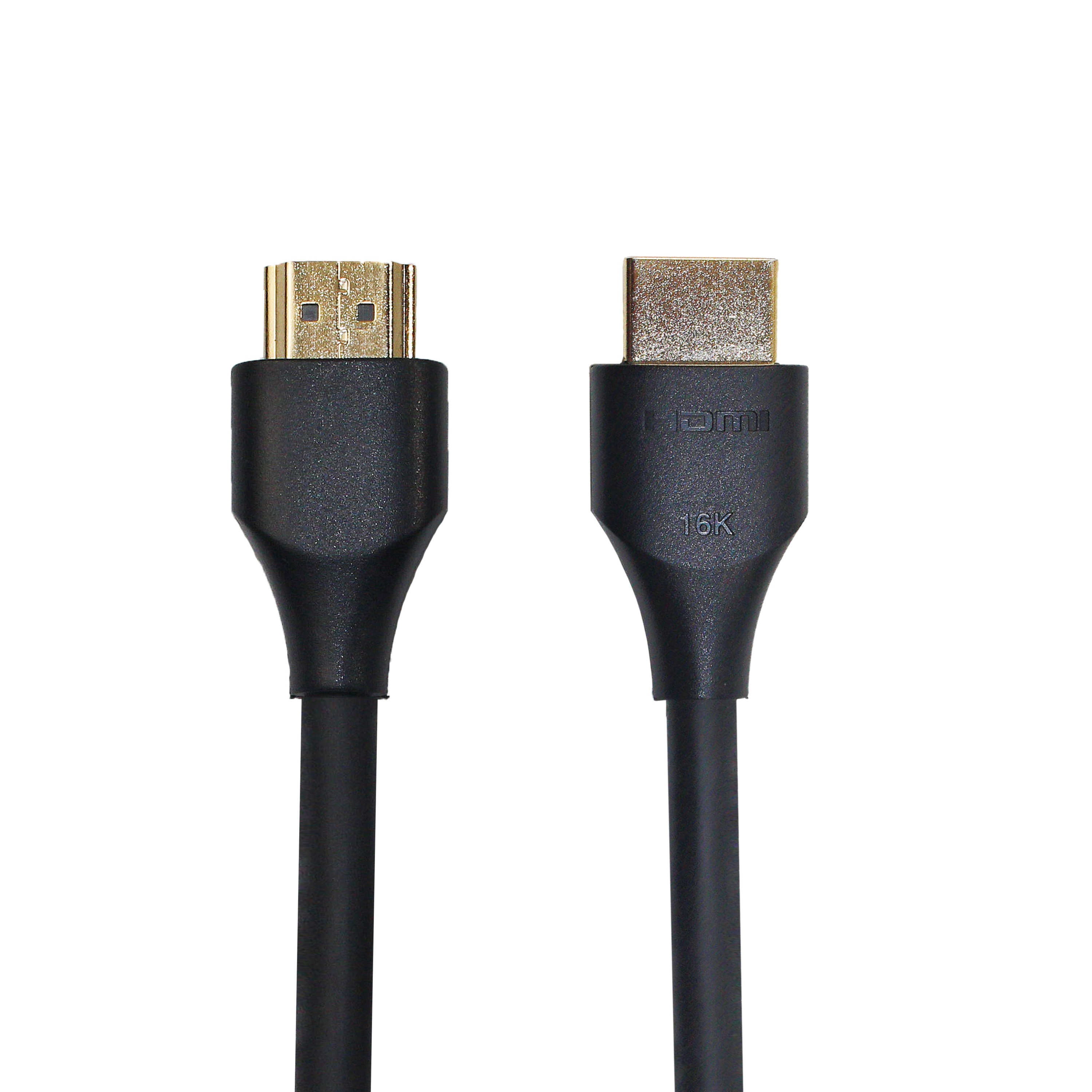
A braided cable with a slim connector head tends to be the easiest to route behind a wall-mounted TV. Look for one around 6 feet with solid strain relief and a reassuringly firm plug. Cables in that range usually avoid signal loss while staying flexible enough to tuck along baseboards or inside a cable channel.
They do once you move past basic 1080p. At 4K/120Hz or 8K/60Hz, a lower-spec cable can introduce blank screens, speckles, or dropouts. The HDMI 2.2-rated cable is built to handle that data load, so the image stays stable and you are not left wondering if the panel or source is at fault.
Under 10 feet, almost any certified HDMI 2.2 cable should perform without issue. Between 10 and 15 feet, pay attention to build quality and shielding. Past 15 feet, it is usually smarter to choose an active or fiber-based cable rather than pushing a passive copper one beyond its comfort zone.
Certification sets a baseline, but the physical design still differs. Some have thicker shielding for runs near power cables, while others use more flexible jackets for tight bends. The connector housing also varies, which can matter if your TV sits close to the wall. It is less about one being dramatically sharper and more about which cable survives your specific setup.
For most streaming, a mid-priced certified cable is plenty. Streaming bitrates are compressed, so the cable is rarely the limiting factor. The extra money makes more sense if you game on a high-refresh monitor, use a Blu-ray player with high bitrate discs, or plan to keep the cable installed for several years.
Make sure the cable has enough length to reach from your source to the receiver and then to the TV without being pulled tight. Also confirm the connector heads are not too bulky for side-facing ports. A cable with solid shielding helps when it runs alongside power cords, since that can prevent audio pops or video dropouts.
Yes, the standard is backward compatible. You just will not unlock the higher bandwidth until both ends support it. The cable will simply act like a well-made lower-spec cable, which can still be a nice upgrade if your old one was flimsy or damaged.
Conclusion
Most shoppers still treat HDMI cables as an afterthought, but HDMI 2.2 makes that habit expensive. The revision is a bigger jump than it looks because it nearly doubles the signaling headroom, which is exactly what keeps 8K at 120Hz feeling unforced instead of compressed. You notice the difference first in dark gradients and fast camera pans, where a marginal cable introduces banding, dropouts, or tiny sparkles in shadow areas. A cable with real bandwidth margin holds fine texture in near-black scenes and keeps chroma detail intact, so the image stays calm even when the source pushes a lot of data at once.
The gap between a dependable cable and a disappointing one often has little to do with the connector plating and almost everything to do with shielding, tolerances, and how it survives installation. Tight bends, sharp staples, undersized wall plates, and overly long in-wall runs quietly undermine performance long before the cable fails outright. We prefer shorter, well-shielded cables with snug port fit and enough slack to avoid strain at the jack. Among the picks we keep reaching for, the common thread is consistency across every run, with no handshake delays, no flicker at 120Hz, and no fragile jacket that cracks behind a media console.
Contact Us
Contact Person: David Yang
Email: [email protected]
Tel/WhatsApp: 8615814734054
Website: https://www.ebcyx.com/